

General downloads
LicenseAnalyser
- Author
- Christophe Watrelot
- Category
- General downloads
- Date
- 30/04/2011
- Size
- 4,91 KB
- Downloads
-
1740
Detailed statistics
- Downloads today 0
- 30 day downloads 6
- Total downloads 1740
- Overall download rank #737 / 2084
- Today page views 0
- 30 days page views 0
- Total views 5189
- Rating

 Detailed statistics
- x 0 0%
- x 0 0%
- x 0 0%
- x 0 0%
- x 1 100,00%
- Popularity
- Downloaded 1 time in the last two weeks
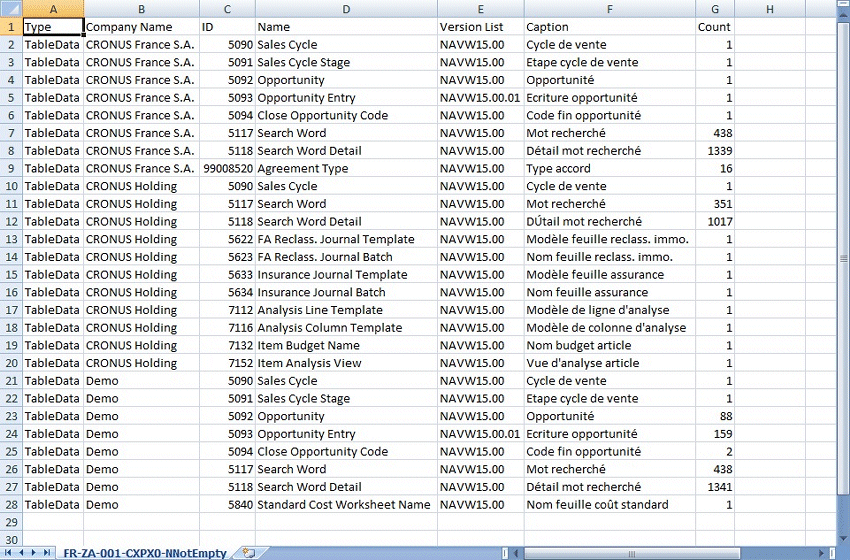
Not empty tables raise an error if not able for customer licence.
This object export a textfile with the list of tables which shoud be empty.
1) Activate Customer Licence
2) Run Dataport on Export mode to a textfile (suggestion : LicenseNumber.txt)
3) Activate Developper License
4) Run Dataport on Import mode from this textfile to create a new one with 'NotEmpty.txt' extension
5) Analyse the second text file for not empty tables without LicensePermission (open in Excel)